
10 Tips for Buying COB Fine Pitch LED Displays?
Buying a fine pitch LED display is rarely a simple specification exercise. A showroom may show bright images, yet the screen must perform under your real lighting, viewing distance, and daily operating schedule. This is where COB fine pitch LED technology deserves careful attention. Its chip-on-board design can improve surface protection, reduce visible pixel structure, and support close-viewing applications. However, performance depends on much more than the display type.
This guide presents ten practical tips for evaluating a COB fine pitch LED display. It considers pixel pitch, brightness, contrast, color consistency, cabinet structure, heat management, and maintenance access. It also examines processing systems, signal compatibility, installation conditions, warranty coverage, and supplier support. A reliable supplier should provide measured specifications, sample footage, calibration details, and a clear testing process. Ask to see the display operating for several hours, not only during a short demonstration.
Small details matter. Look closely at skin tones, dark scenes, text edges, and fast movement. Notice whether cabinet seams remain visible from different angles. Check how technicians replace modules and handle damaged connections. I have found that impressive brightness can sometimes hide uneven calibration or excessive power use. That is worth questioning.
No buying checklist can remove every risk. Room conditions change. Budgets shift. Even experienced buyers may overlook future maintenance costs. Still, careful comparison can prevent expensive surprises and create a more dependable visual system. The right choice should match your audience, content, environment, and long-term operating plans—not merely the lowest quoted price.
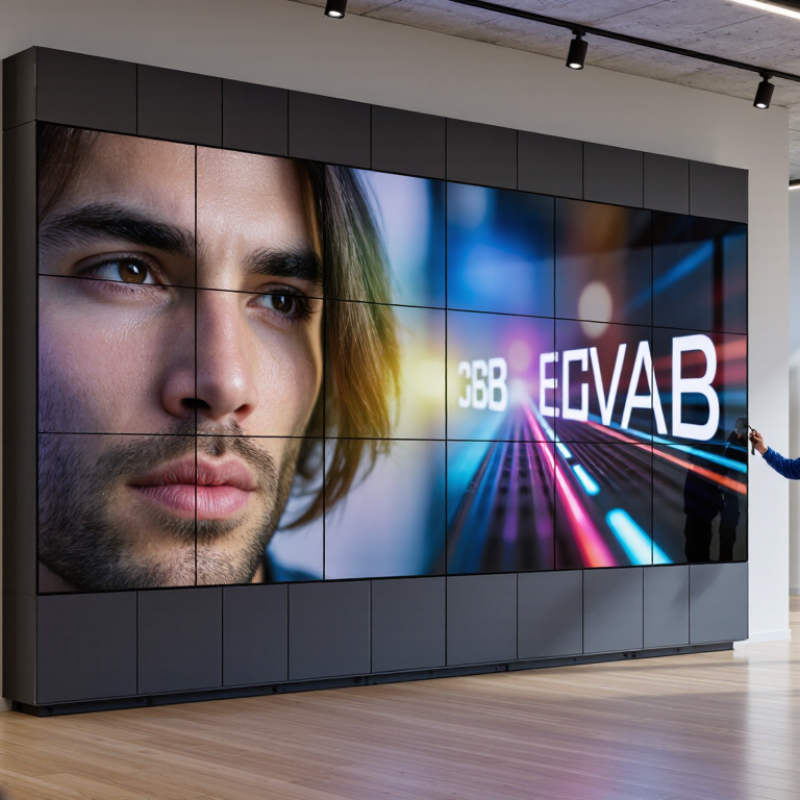
Understanding COB Fine Pitch LED Display Technology
10 Tips for Buying COB Fine Pitch LED Displays
Understanding COB Fine Pitch LED Display Technology
COB, or chip-on-board, mounts LED chips directly onto a circuit substrate. This design reduces exposed solder points and improves surface protection. Fine pitch means tighter pixel spacing, producing sharper images at close viewing distances. Measure the room before choosing a pitch. A smaller pitch is not always better.
Check viewing distance, brightness, contrast, and grayscale performance under real lighting. Test it live. Ask for a close-up image and a dark-scene demonstration. Inspect black uniformity, skin tones, and tiny text. A good display should remain clear without excessive brightness. High refresh rates matter for cameras and fast motion.
Examine the protective coating, cabinet flatness, heat control, and power distribution. These details affect long-term reliability. Confirm front-service access and replacement procedures before purchase. Ask whether calibration data is stored and recoverable. Review operating temperature limits, spare-module availability, warranty coverage, and technical support response times. Request measured power consumption, not only a maximum rating.
An experienced installer should check alignment across several cabinets. Small gaps become visible on large walls. I would also compare samples from different production batches. Early samples can look perfect, while later units may vary slightly. That risk deserves discussion. Keep written records of brightness, color consistency, and acceptance tests. A cheaper quote may hide maintenance time.
Matching Pixel Pitch to Viewing Distance and Content
Choosing COB fine-pitch LED displays starts with viewing distance, not the smallest available pixel pitch. A practical field rule is one meter of comfortable viewing distance for each millimeter of pixel pitch. Thus, a 1.5 mm display may suit viewers standing about 1.5 meters away. The rule is only a starting point. Human vision, brightness, camera use, and installation height can change the result.
Content matters just as much. For detailed dashboards, subtitles, product interfaces, or architectural drawings, a tighter pitch preserves small text and thin lines. For concerts, retail walls, and motion graphics, viewers often stand farther away, so a slightly larger pitch may deliver similar perceived sharpness at lower cost. ITU-R BT.500 testing guidance also reminds integrators to evaluate images under realistic viewing conditions, not only through specifications. Test your actual content.
Professional AV planning supports this approach. AVIXA’s 2024 Industry Outlook and Trends Analysis identifies displays and image technologies as major professional AV investment areas, reflecting growing demand for high-quality visual communication. Meanwhile, the 2024 LED display market analysis from LEDinside highlights fine-pitch applications in control rooms, corporate spaces, and virtual production. Those sectors expose weaknesses quickly. A showroom loop may look excellent, but dense spreadsheets can reveal moiré, uneven brightness, or uncomfortable sharpness. I have seen buyers choose an ultra-fine pitch, then discover their content was low-resolution. Better matching is often more valuable than maximum specification.
10 Tips for Buying COB Fine Pitch LED Displays
Matching Pixel Pitch to Viewing Distance and Content
Smaller pixel pitches provide finer image detail and are better suited to close-up viewing, detailed presentations, and text-heavy content. The distances shown are approximate comfortable viewing distances based on common pixel-pitch planning guidance; room size, screen brightness, source resolution, and content type should also be evaluated before purchase.
Evaluating Image Quality, Brightness, and Reliability
When buying a COB fine pitch LED display, inspect image quality from normal viewing distance. Ask for calibrated measurements, not showroom impressions. The ICDM Display Measurement Standard, Version 1.1, recommends controlled tests for luminance, contrast, color, and uniformity. Request grayscale images, skin tones, small text, and fast-motion footage. Look for seams, dead pixels, color shifts, and haloing around white characters.
Brightness needs context. Indoor installations often perform well around 600–1,200 nits, while sunlit locations may require 4,000 nits or more. Excessive brightness can wash out colors and tire viewers. Check automatic brightness control, viewing-angle stability, and power consumption at maximum output. A high refresh rate also matters for camera recording. Test the display through a camera, because human eyes may miss scan lines or flicker. I still make this mistake.
Reliability depends on more than COB packaging. Review thermal measurements, cabinet airflow, module protection, and service access. The U.S. Department of Energy’s 2022 Solid-State Lighting R&D Opportunities report cites lifetimes above 100,000 hours for some LED packages under controlled conditions. That figure does not represent a complete display in a hot, dusty venue. Ask for LM-80 and TM-21 evidence, operating-temperature limits, and brightness-retention data. Check whether testing covers continuous operation, vibration, humidity, and repeated power cycles. A smaller pixel pitch can improve detail, but it may increase cost and maintenance complexity. Purchase decisions should balance measured performance with the installer’s real service experience.
Checking Installation, Maintenance, and System Compatibility
Tip 1: Confirm the installation environment before buying. Measure the wall flatness, viewing distance, ambient light, and service access. COB fine pitch displays need accurate alignment. A small surface error can create visible seams. Leave space behind the cabinet for airflow and cable bends. I once underestimated rear access on a tight indoor installation. Maintenance became slower than planned.
Tip 2: Examine the maintenance process, not only the display image. Ask how technicians replace damaged modules, clean the surface, and check brightness uniformity. Keep essential spare parts in a dry, labeled cabinet. Schedule inspections for power connectors, cooling fans, signal cables, and calibration settings. Check them regularly. Fine-pitch surfaces can reveal dust, color drift, or impact marks quickly. Maintenance instructions should be clear enough for a trained technician to follow without guessing.
Tip 3: Test system compatibility with real equipment before placing the order. Match the display resolution, refresh rate, grayscale performance, processor output, control software, and power requirements. Test every input source, including media servers and professional cameras. Confirm cable lengths and backup signal paths. A display may work during a brief demo but fail under continuous operation. Request a documented test using your actual content. Compatibility is more than a connector fitting. It includes stable communication, accurate color reproduction, safe power distribution, and reliable remote monitoring. Allow time for commissioning, because rushed installation can hide problems.
Comparing Suppliers, Total Cost, Warranty, and Support
10 Tips for Buying COB Fine Pitch LED Displays
Buying COB fine-pitch LED displays requires more than comparing pixel prices. Request identical specifications: pixel pitch, brightness, grayscale, refresh rate, cabinet size, processing, and calibration method. A 2024 AVIXA IOTA report places global professional AV activity above $300 billion. That figure signals strong industry demand, not equal supplier quality. Ask for factory test records, thermal images, uniformity measurements, and a live demonstration at low brightness. Dark-room perfection can hide daytime weaknesses.
Calculate total cost over five to eight years. Include purchase, freight, installation, power, calibration, spare modules, control hardware, labor, and disposal. The U.S. Department of Energy’s 2023 SSL R&D Plan reports commercial LED efficacy above 150 lm/W in some applications. Video walls consume power differently. Request watts per square meter using your actual content, not maximum brightness. A cheap quote can become expensive. I would challenge my own estimate, because energy prices and duty cycles can change.
Compare warranty length and exclusions carefully. Check pixel defects, coatings, power supplies, receiving cards, burn-in, and color drift. Require response times, remote diagnostics, local technicians, spare-part stock, firmware access, and a clear RMA process. Get replacement timelines in writing. Industry reports measure market growth, not service quality. References from installations older than three years reveal more. One missed detail remains costly.
10 Tips for Buying COB Fine Pitch LED Displays: Comparing Suppliers, Total Cost, Warranty, and Support
A practical comparison checklist for evaluating COB fine-pitch LED display proposals without relying on company or brand names.
| Tip | Evaluation Dimension | What to Compare | Practical Benchmark or Requirement | Evidence to Request | Cost Impact |
|---|---|---|---|---|---|
| 1 | Confirm the required pixel pitch | Compare 0.7 mm, 0.9 mm, 1.2 mm, 1.5 mm, and 1.8 mm options against viewing distance, image detail, and room size. | Smaller pitch generally supports closer viewing and higher pixel density, but usually increases purchase cost and installation sensitivity. | Pixel-pitch specification, recommended viewing distance, native-resolution drawing, and a live close-distance demonstration. | High |
| 2 | Check COB construction quality | Compare chip-on-board encapsulation, surface protection, module design, pixel uniformity, and resistance to accidental contact. | The display should have consistent encapsulation, no visible voids or exposed areas, stable grayscale performance, and uniform brightness across modules. | Product specification, factory quality-control records, close-up samples, module inspection, and uniformity test results. | Medium–High |
| 3 | Compare brightness and contrast | Compare maximum brightness, minimum controllable brightness, contrast ratio, black-level performance, and suitability for indoor lighting. | Indoor displays commonly require less brightness than outdoor displays. The selected model should remain readable without causing glare in the intended room. | Measured brightness data, contrast test conditions, calibration report, and a demonstration using dark and high-contrast content. | Medium |
| 4 | Review refresh rate and image performance | Compare refresh rate, scan method, grayscale depth, color temperature adjustment, and camera performance for recorded content. | A high refresh rate is important for broadcast, live events, virtual production, and camera recording. Ask for testing with the cameras and content used at your site. | Refresh-rate specification, camera test video, grayscale images, color calibration report, and controller compatibility confirmation. | Medium |
| 5 | Evaluate supplier manufacturing capability | Compare production experience, quality-control procedures, component traceability, assembly capacity, testing equipment, and project references. | A capable supplier should provide documented incoming inspection, aging tests, module testing, final inspection, and a clear process for handling defective units. | Factory audit report, quality certificates, sample inspection records, production schedule, and references for projects of similar size. | High |
| 6 | Calculate total cost of ownership | Compare hardware price, control system, spare parts, shipping, taxes, installation, structure, commissioning, training, electricity, and future maintenance. | The lowest purchase price is not necessarily the lowest project cost. Request a line-item quotation with identical screen dimensions, accessories, and service scope. | Itemized quotation, shipping terms, installation scope, power-consumption data, spare-part pricing, and five-year operating-cost estimate. | Very High |
| 7 | Verify power and thermal management | Compare typical and maximum power consumption, heat dissipation, cabinet ventilation, operating temperature range, and power-supply redundancy. | Use typical power for operating-cost estimates and maximum power for electrical planning. Confirm that the installation environment remains within the specified temperature and humidity limits. | Power test data, electrical load schedule, thermal test results, operating-environment limits, and cabinet design drawings. | Medium–High |
| 8 | Read the warranty terms carefully | Compare warranty duration, covered parts, pixel or module failure thresholds, labor coverage, shipping responsibility, exclusions, and response obligations. | A useful warranty should define coverage in writing and explain the replacement process, repair turnaround, dead-pixel policy, and conditions that may void coverage. | Signed warranty document, service-level terms, replacement procedure, exclusions, and examples of warranty claim documentation. | High |
| 9 | Assess technical support and spare parts | Compare remote support, local service availability, installation guidance, training, diagnostic tools, spare-module stock, and escalation procedures. | The supplier should provide troubleshooting instructions, configuration backups, replacement parts, and a defined response time for critical faults. | Support contact process, service-level agreement, spare-parts list, training plan, troubleshooting manual, and remote-access procedure. | High |
| 10 | Validate installation and long-term maintenance | Compare front-service or rear-service access, cabinet alignment, mounting tolerance, module replacement method, cleaning requirements, and system expandability. | Choose a service method that matches the available clearance. The supplier should provide cabinet drawings, maintenance access requirements, replacement instructions, and a recommended spare ratio. | Installation drawings, service-access diagram, maintenance video, commissioning checklist, spare-parts recommendation, and acceptance-test procedure. | Medium–High |