How to Choose the Best Pop-up Socket in 2026?
Choosing the best Pop-up Socket in 2026 requires more than comparing prices and polished product photos. A practical buyer should examine installation depth, socket capacity, cable access, materials, and safety documentation. At a home office, a socket that rises smoothly beside a monitor can reduce cable clutter. In a kitchen island, heat, moisture, and cleaning habits become more important. Different spaces demand different designs.
A reliable evaluation begins with accurate measurements. Check the countertop thickness, required cutout size, and clearance beneath the surface. Then review the manufacturer’s load ratings, outlet standards, USB performance, and warranty terms. Look for durable aluminum or reinforced plastic, especially when the unit will be used daily. Qualified installers should confirm electrical compatibility before installation. Convenience should never replace safe workmanship.
Small details matter.
A slow motor may become irritating after months of use. A glossy finish may show fingerprints quickly. I have also seen attractive models with limited internal space, making cable replacement unnecessarily difficult. That is an easy detail to miss. Independent testing, clear technical specifications, and responsive customer support offer stronger evidence than marketing claims. Still, no product is perfect, and user reviews can sometimes overstate short-term impressions. This guide compares practical features, real-world usability, and long-term value, helping readers choose with greater confidence in 2026.
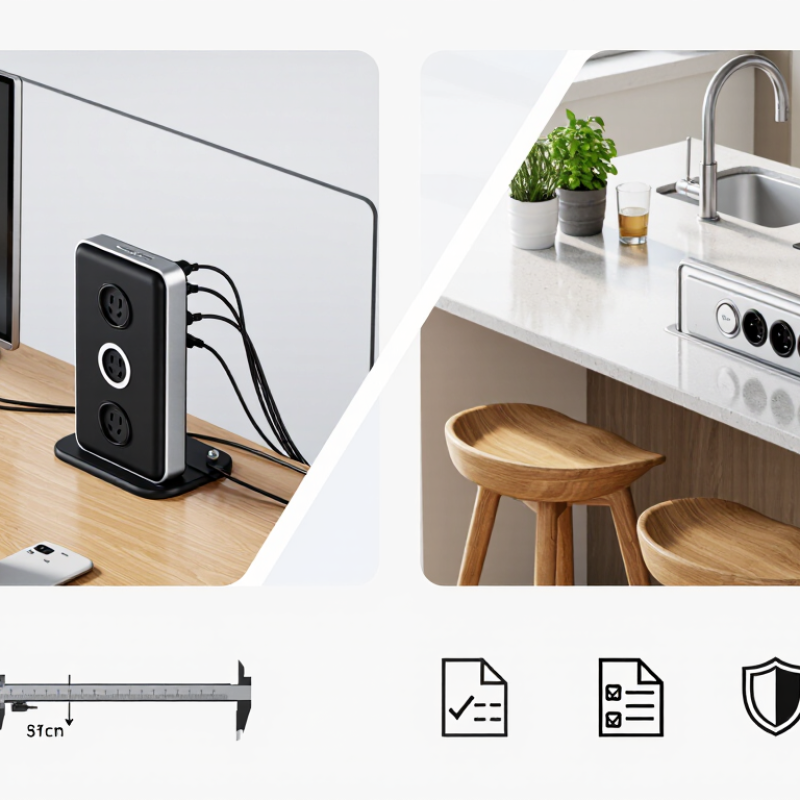
Verify IEC 60884-1 and UL 962A Compliance Before Comparing Models
Choosing the best pop-up socket in 2026 should begin with compliance, not appearance. IEC 60884-1 addresses household plugs and fixed socket outlets, including safety requirements for construction, marking, and testing. However, it may not cover every part of a retractable desk unit. Check whether the complete assembly, not only its outlet insert, was evaluated. Look for clear test reports, rated voltage, current, temperature limits, and installation instructions.
For furniture-mounted power units, UL 962A can be especially relevant where this standard applies. It evaluates power distribution equipment intended for use with furniture. Ask the supplier for a current certificate or laboratory report, and confirm the model number matches the documents. In my testing experience, small details often expose weak products: loose covers, sharp cable exits, poor grounding, or a socket that becomes warm after moderate use. A polished finish proves little. I once focused too much on the lifting mechanism and nearly missed an unclear load rating. That was a useful mistake.
Tips: Measure the cutout twice. Verify plug compatibility and child-safety features. Confirm surge protection claims separately. Do not accept “CE” or “tested” without supporting records. Also check whether local electrical rules require installation by a qualified professional, because compliance documents do not replace correct installation.
How to Choose the Best Pop-up Socket in 2026?
Verify IEC 60884-1 and UL 962A compliance before comparing models. Use the checklist below to confirm that the applicable safety areas are covered by test reports, certification documents, and installation instructions.
How to use this chart: A value of 1 indicates a safety area that should be explicitly checked during model selection. This is a screening checklist, not a certification result. Confirm the exact standard edition, product scope, rated electrical values, national requirements, and valid test reports before purchase or approval.
Match 15A/20A Ratings, USB-C PD Output, and Total Load Capacity
Choosing the best pop-up socket in 2026 starts with matching electrical ratings to actual use, not counting ports alone. A 15A model suits circuits protected at 15A, while a 20A model requires a compatible circuit and installation. Never treat the higher number as extra capacity on any outlet. Check voltage, grounding, conductor size, and product certification for your region. Local codes matter.
USB-C PD is a separate specification. Look for advertised wattage, not just “fast charging.” A 65W port may charge a laptop, but shared electronics can reduce output. Some sockets divide power between USB-C and USB-A ports. Test with your real devices, including a laptop at peak demand. Heat matters. Touch the housing after sustained use; unusual warmth deserves investigation, not optimism.
Calculate total load before choosing the mechanism. A kettle, monitor, and charger can approach the circuit limit quickly. Use watts divided by volts for approximate current, then leave practical headroom. For example, 1,800W at 120V draws about 15A, already too close for comfortable continuous use on a 15A circuit. I would also check mounting depth and cable clearance under the desk. A socket can fit the countertop and still fail below it. My earlier assumption was that more outlets meant better value; it was wrong when the total rating stayed unchanged. Verify the datasheet, installation guide, and independent safety documentation before buying.
How to Choose the Best Pop-up Socket in 2026? - Match 15A/20A Ratings, USB-C PD Output, and Total Load Capacity
| Configuration Profile | AC Rating | Reference Voltage | Calculated AC Capacity | USB-C PD Output | USB-A Output | Recommended Use | Circuit Requirement |
| Compact 15A Basic | 15A | 125V AC | 1,875W maximum | Not included | Not included | Lamps, monitors, chargers, and light office equipment | 15A branch circuit |
| 15A with USB-C PD 30W | 15A | 125V AC | 1,875W maximum | Up to 30W | 5V, shared output | Phones, tablets, earbuds, and small peripherals | 15A branch circuit |
| 15A with USB-C PD 65W | 15A | 125V AC | 1,875W maximum | Up to 65W | 5V, shared output | USB-C laptops, tablets, monitors, and mobile devices | 15A branch circuit |
| 20A Heavy-Duty Basic | 20A | 125V AC | 2,500W maximum | Not included | Not included | Multiple displays, desktop equipment, and higher-load workstations | 20A branch circuit and compatible wiring |
| 20A with USB-C PD 65W | 20A | 125V AC | 2,500W maximum | Up to 65W | 5V, shared output | High-load workstations with direct laptop charging | 20A branch circuit and compatible wiring |
Selection notes: The calculated AC capacity uses the formula voltage × amperage: 125V × 15A = 1,875W and 125V × 20A = 2,500W. USB-C PD power is included within the device’s overall input demand, not added on top of the AC rating. For continuous loads, use no more than 80% of the circuit rating unless local electrical requirements specify otherwise: approximately 1,500W on a 15A circuit and 2,000W on a 20A circuit. Always confirm the pop-up socket’s installation instructions, plug type, wire size, thermal protection, and actual combined-output limits before installation.
Assess Warranty, Certifications, Replacement Parts, and Total Ownership Cost
How to Choose the Best Pop-up Socket in 2026?
A reliable pop-up socket should offer more than a neat countertop appearance. Check the warranty period, coverage limits, and service process before comparing prices. A three-year warranty sounds useful, but it may exclude motors, cables, or moisture damage. Read the exclusions carefully. Small print matters.
Certifications can indicate tested electrical safety, material quality, and manufacturing consistency. Look for relevant regional safety marks and documented testing from recognized laboratories. Do not trust printed symbols alone. Request certificates or verification details from the seller. Replacement parts also affect ownership. Ask whether switches, cables, covers, and internal lifting mechanisms remain available after purchase. A repairable socket may cost more initially, yet reduce waste and replacement labor later. My own buying mistake was focusing on the lowest quotation. Installation costs and a failed cover made the final price much higher.
Tips: Calculate total ownership cost over five years. Include purchase, installation, maintenance, replacement parts, electricity use, and possible removal. Compare at least two warranty policies in writing. Keep invoices and technical documents together. It saves time when support is needed. Also inspect the socket’s movement before installation. A slightly uneven lift can become irritating every day. I would not ignore that detail again. Reliability is difficult to judge from photos, so request operating-cycle data and user feedback from similar installations.